
Recut alternative for Mac: silence removal and full editing
Compare Recut and ZXN Studio for silence removal, recording and visual editing. Review pause controls, project hand-offs and the finished export.
In this article
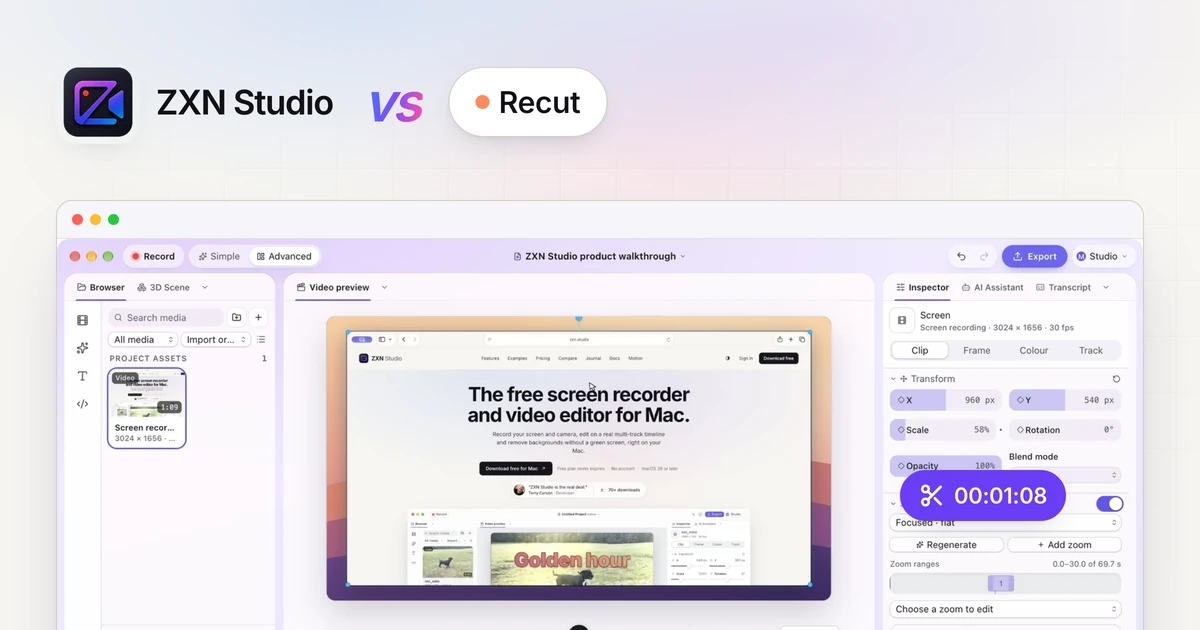
If you are looking for a Recut alternative for Mac, start with the job you want to finish. Recut specialises in turning recordings with pauses into a tighter edit. ZXN Studio combines recording, silence removal and a broader visual timeline, so you can also frame the screen, arrange the presenter and finish the demonstration in one project.
Both approaches can make sense. This comparison explains the documented workflows and gives you a practical evaluation sequence. It is published by ZXN Studio, and it is not a claim that we benchmarked both applications on identical recordings. Product information was checked against the linked official sources on 16 November 2026.
Recut and ZXN Studio at a glance
| Requirement | Recut | ZXN Studio |
|---|---|---|
| Main workflow | Detect pauses and prepare a cut | Record, remove pauses and build the finished visual edit |
| Silence controls | Threshold, minimum duration, padding and manual overrides | Find pauses, threshold, minimum silence, padding and Keep controls |
| Creative composition | Check the target editor for the final composition | Multi-track timeline, titles, transforms, effects and keyframes |
| Other editing applications | Documented cut-list exports for supported editors | Do not assume native import of Recut cut lists |
| Platform | Mac, Windows and Linux | Current release for Mac; native recorder needs macOS 26 or later |
| Purchase decision | Check current Recut licensing and trial terms | Free, monthly Studio or lifetime Studio |
The important difference is what happens after the first pass. If you already finish videos in a supported professional editor, Recut can be a specialised preparation step. If you want to record a software explanation and compose the result in the same application, ZXN is worth evaluating.
What Recut is designed to do
Recut's official guide describes detecting quiet sections, adjusting which gaps count as silence and leaving padding around speech. You can review the selection instead of accepting every suggested cut. Those controls matter because a low speaking voice and an intentional pause should not automatically disappear.
Its official website also describes exports for workflows including Premiere Pro, Final Cut Pro, DaVinci Resolve and ScreenFlow. That is useful when the silence pass is only the beginning of a larger production. Verify the exact format supported by your destination editor before committing a project to that route.
Recut is therefore a reasonable choice when your existing editing setup already works and finding pauses is the repeated task you want to reduce. Switching the entire workflow is unnecessary if a focused preparation tool solves the actual problem.
Remove pauses inside ZXN Studio
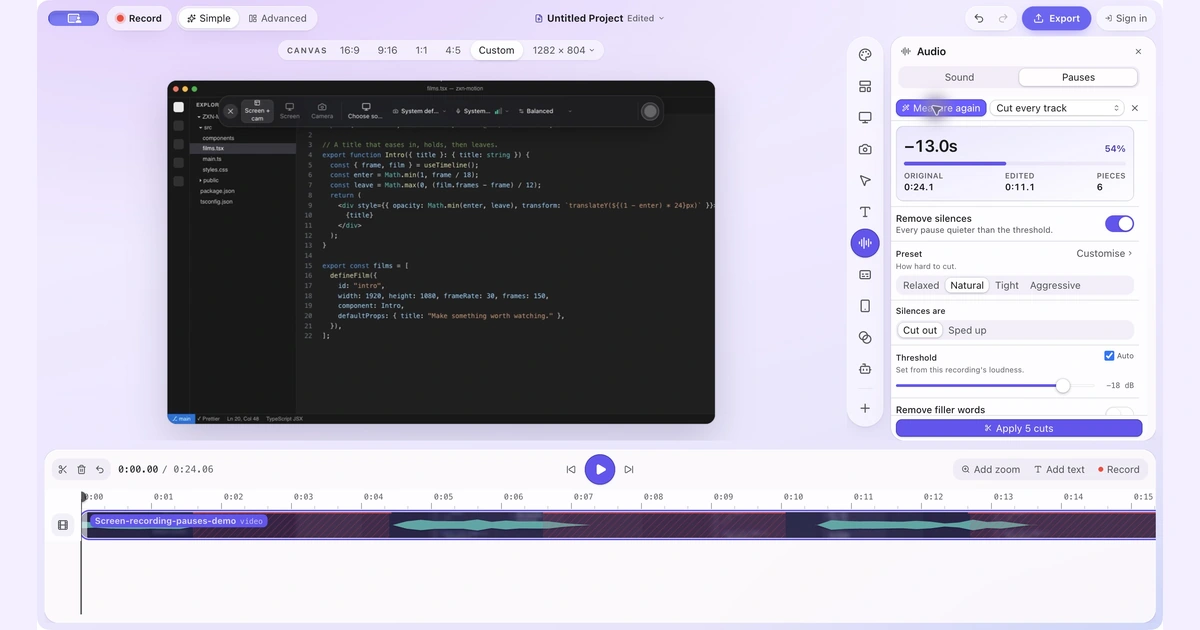
In ZXN Studio, open Simple → Audio → Pauses and choose Find pauses. Start with the Natural preset and Threshold: Auto, then inspect the suggested ranges. Adjust minimum silence and padding if the detection includes breathing space you want to keep or misses a long gap.
Use Keep for a pause that carries meaning. A silent moment might show a menu opening, a progress indicator finishing or a chart becoming readable. Listening alone cannot tell you whether that material belongs in the explanation. Play the screen and narration together before deciding.
Choose between Cut every track and Cut this track only deliberately. Removing time across aligned tracks can keep the screen, camera and narration together. Cutting only one track serves a different editing purpose and needs a synchronisation check. Our silence-removal walkthrough shows the controls and review process in more detail.
Finish the visual explanation
A shorter recording is not automatically a clearer tutorial. After the pause pass, check whether the viewer can identify the control you use and see the result. A quiet interval may need a closer view or a title rather than a deletion.
ZXN's timeline supports trims, splits, layers, transforms and keyframes. Screen and camera recordings remain separately editable, so a presenter can move away from an important control without forcing a new screen recording. You can add titles or motion graphics when they explain a step that the interface alone does not communicate.
For new ZXN recordings with complete click metadata, Auto zoom creates editable focus ranges. Imported footage can use manually authored zooms. Read the automatic zoom guide if directing attention is part of the work that follows your silence pass.
Run a meaningful comparison
Use the same short sample in each workflow. Include ordinary narration, a quieter sentence, a mistaken line and a silent action whose result appears later. This is an evaluation recipe, not a published performance benchmark.
| Sample moment | What to inspect |
|---|---|
| Quiet sentence | The first and last words remain intact |
| Long pause before a new topic | The transition has enough breathing room |
| Silent menu interaction | The viewer can still follow the action |
| Screen and presenter together | Speech and visible movement remain aligned |
| Finished export | The file matches the reviewed timeline |
Review every proposed cut once, then export the sample and watch it outside the editor. Count the corrections you needed and note whether the remaining work belongs in the same application. That gives you a more useful decision than comparing the length of two feature lists.
Be precise about project hand-offs
A rendered MP4 and an editable cut list are different deliverables. Importing a flattened video into another editor does not restore its original camera layer, audio choices or individual source cuts. Keep the original recording even when the first export looks finished.
ZXN Studio is not established here as a native destination for Recut project exchanges. If you want to combine them, verify the exact import and export path with a small sample first. Choose a supported cut-list destination when preserving editable cuts is essential.
Compare the complete cost
ZXN Studio Free supports recording and export up to 1080p at 30 fps. Studio costs $15.99 USD monthly or $159 USD lifetime, with higher export options and the expanded creative tools. Check billing details for the current included features.
Monthly Studio includes 300 GB of managed cloud storage for hosted sharing. The lifetime editor purchase does not include that monthly allowance; its own-storage workflow is a separate consideration. Compare local editing and ongoing delivery as two requirements rather than treating a lifetime editor license as unlimited hosting.
Check Recut's current offer directly because promotions and licensing terms can change. Choose Recut when its supported preparation and hand-off workflow fits your existing editor. Choose ZXN when recording, pause review and visual composition belong in one Mac project. In either case, let the completed sample decide.
More on video editing
How to Remove Silence and Long Pauses From a Screen Recording on MacFind quiet gaps, keep useful thinking time and shorten a screen recording without cutting off words or losing sync.
 ZXN Studio vs CapCutCompare CapCut’s official editing and caption tools with ZXN Studio’s Mac recording and multi-track workflow, using a practical project test.
 ZXN Studio vs DaVinci ResolveCompare ZXN Studio’s recording-led workflow with DaVinci Resolve’s post-production tools, including free export limits and a practical hand-off test.