
8 Best YouTube Thumbnail Tools for Creators in 2026
Compare eight YouTube thumbnail tools, from Canva and Pikzels to AI packaging and A/B testing platforms. Find the right fit for your channel and budget.

In this article
A good YouTube thumbnail makes a clear promise before somebody reads your description or hears your opening line. Creating one involves several decisions: which moment to show, how much text to include, whether your face belongs in the image, and how the picture works with the title.
The best YouTube thumbnail tools help with different parts of that process. Some give you templates and precise design controls. Others generate images from a prompt, develop the entire video package, or test your finished thumbnails against real audience behavior.
This guide compares eight options for creators who want a repeatable workflow. The order reflects different practical use cases, not a measured ranking of image quality or guaranteed views. Features and pricing were checked in November 2026; subscription offers can change.
Disclosure: VoxTale provided temporary complimentary access for evaluation. I also gave its founder lifetime access to ZXN Studio, and we discussed reciprocal articles and testimonials. That relationship is relevant to its inclusion here.
Quick comparison
| Tool | Best for | Starting point | Main qualification |
|---|---|---|---|
| Canva | Hands-on design and templates | Free and paid plans | Premium assets and AI have limits |
| Adobe Express | An Adobe design workflow | Free and Premium | Assets and AI depend on plan |
| Pikzels | AI image iteration | Premium $40/mo; Ultimate $80/mo | Actions use different credit amounts |
| vidIQ | Thumbnails alongside research | Free; Boost $19/mo; MAX $49/mo | AI tools share credits |
| VoxTale | Title, hook and thumbnail together | Pro $29/mo; Studio $99/mo | Run limits; test your intended pipeline |
| TubeBuddy | Existing YouTube Studio workflow | Limited free access and paid tiers | Templates and advanced tests require payment |
| Fotor | AI images and photo editing | Limited free access and paid tiers | Check credits and export access |
| Thumbnail Test | Testing finished images | Basic $29/mo; Pro $49; Business $99 | Sequential rotation differs from native testing |
Listed dollar prices are monthly USD rates. Annual billing may reduce monthly equivalents. Check current offers and allowances.
1. Canva: Best for hands-on design and reusable templates
Canva's YouTube thumbnail maker is a strong starting point when you already have a visual idea and want to put it together yourself. You can choose a template, upload a photo, adjust the layout, and add text and graphics without learning a professional design application.
Its flexibility is especially useful when your thumbnail needs to match your channel banner, social posts, or other recurring graphics. Instead of starting again for every upload, you can develop a recognizable layout and adapt it to each topic.
Canva has a free plan, while paid plans expand its assets, brand tools, and AI allowances. Some convenient features and premium content therefore come with an additional cost. Check the current plans against the features you actually use.
Choose Canva if you enjoy making the creative decisions. Compared with a packaging assistant, it puts more responsibility on you to connect the thumbnail concept with the title and the video's opening promise. That control can be a benefit, especially for a creator with an established visual style.
2. Adobe Express: Best for creators already using Adobe
Adobe Express combines thumbnail templates, uploaded images, stock content, text tools, and generative AI in an approachable editor. You can begin with a blank canvas or use an existing design as your starting point.
Its clearest advantage is its connection to the wider Adobe workflow. Creators who already keep assets in Creative Cloud Libraries or work with Photoshop and Illustrator may find Express a convenient place to assemble simpler publishing graphics. Access to some linked assets depends on the relevant Adobe membership.
A free plan is available, with Premium expanding the offering. Asset access and AI allowances differ, so a free account should not be treated as unlimited access to every design feature. Adobe's pricing page explains the current tiers.
Express makes sense when you want a general design tool that fits alongside existing creative work. Like Canva, it gives you substantial freedom over the final image. You still need to decide whether the title and thumbnail tell a complementary story.
3. Pikzels: Best for dedicated AI thumbnail iteration
Pikzels focuses directly on YouTube thumbnail production. Its tools include prompt-based generation, instruction-based edits, title generation, and a Recreate workflow that starts from a YouTube link. Personas and reusable Styles help creators carry a recognizable identity across multiple images.
That makes Pikzels particularly interesting if you want to explore several visual directions quickly. A creator who knows the video's angle but wants different compositions, expressions, or treatments has a clear reason to try a specialist tool.
The main budgeting consideration is its credit system. Generating thumbnails, making certain changes, analyzing images, and training a Persona or Style can consume credits at different rates. At the time of checking, Premium was advertised at $40 per month and Ultimate at $80 per month, with lower monthly equivalents when billed annually.
Pikzels also provides automated packaging assessments. Treat those as useful feedback, then inspect the result yourself. A model's score cannot establish how your particular audience will respond. Compared with VoxTale's three-package approach, Pikzels is worth considering when visual exploration and repeated image iteration are your main priorities.
4. vidIQ: Best for thumbnail creation alongside channel research
vidIQ's AI thumbnail maker accepts a video idea, a YouTube URL, or a video file and helps turn it into an image concept. You can refine the result with prompts before downloading it.
The wider product is its main attraction. Thumbnail work can sit alongside topic ideas, trend research, channel insights, and AI coaching. For a creator already using vidIQ to plan uploads, working in the same environment may be more convenient than adding a separate thumbnail subscription.
Its current plans include Free, Boost, and MAX. Paid one-channel plans were listed at $19 and $49 per month when checked. AI tools share a credit balance, and the official credit guide lists thumbnail generation, regeneration, and editing at 22 credits per action.
That shared allowance matters if you use several AI features heavily. Choose vidIQ when you value the broader research workflow as well as the image maker. If thumbnails are your only requirement, compare how much of the subscription you would actually use.
5. VoxTale: Best for a coordinated title, hook, and thumbnail
VoxTale approaches the problem as video packaging. You provide a topic, script, transcript, or finished video, and it offers three different packages built around a title, a hook, and a thumbnail.
This is useful when you are still deciding how to present the story. A visually attractive thumbnail can make the wrong promise, and an intriguing title can repeat everything already written in the image. Developing those pieces together gives you a more coherent starting point.
VoxTale supports reusable face photos and visual references, niche-informed evaluation, instruction-based edits, and an outline assistant. Its layered pipeline also keeps text editable, which is helpful when the image works but the wording needs a small adjustment. The documentation explains the distinction between generating options and refining them.
Pro is advertised at $29 per month for 30 packaging runs and one connected channel. Studio is $99 for 100 runs and five channels. A limited $19 founding offer is also advertised, subject to availability. The flat-run model is easier to understand than a credit charge for every different action, although it still has usage limits.
The tradeoff is that you are choosing a focused packaging workflow rather than a broad design suite. You should also check factual details and test promising options with your audience. VoxTale's appeal is the coordinated starting point and time saved reaching it, not a guarantee that one generated thumbnail will win.
In my hands-on VoxTale review, a Classic edit succeeded with a download and version restoration. Fresh Editable Beta image generation failed twice while text concepts persisted, so test the pipeline you intend to use.
6. TubeBuddy: Best for an existing YouTube Studio workflow
TubeBuddy's thumbnail generator lets you build from a video still or a solid background, then add text, images, shapes, and other elements. Its location within the TubeBuddy workflow makes it convenient for creators already using the product to manage their channels.
Reusable templates are available to paid users. The free version has meaningful restrictions, including one custom image and no downloaded image copies, so check that its workflow fits how you intend to publish and reuse your designs.
TubeBuddy also offers thumbnail and metadata testing. Advanced testing is associated with its Legend plan, which can be relevant if you want optimization tools alongside thumbnail creation.
It is important to distinguish these functions. Building a thumbnail from a frame and text layers is different from generating an entirely new image from a prompt. TubeBuddy is a good option when you want channel-management convenience and testing in the same product, rather than a standalone AI art workflow.
7. Fotor: Best for AI thumbnails and broader photo editing
Fotor's AI thumbnail maker works with text prompts and uploaded photos. It supports workflows involving subject cutouts, new backgrounds, visual styles, and adjustments to text, color, and expression.
That combination can be useful when the main ingredient is a photo you already have. You might want to isolate a presenter, change the surrounding scene, or try a stronger visual treatment before settling on a composition.
Fotor offers free access with limits and paid upgrades. Its thumbnail page advertises watermark-free downloads, but the broader pricing page distinguishes credit allowances and export capabilities between plans. Confirm the resolution and features available in your account before building a workflow around the free tier.
Choose Fotor if you also need general photo-editing tools. Its value is broader than generating a single thumbnail. As with other image-focused tools, the title, opening hook, and audience test still require your attention.
8. Thumbnail Test: Best for testing images you already have
Thumbnail Test belongs at a different stage of the process. It is a testing service for existing thumbnails and titles, rather than a tool for designing the images themselves.
Its published workflow rotates variants on a video and compares performance. Plans were listed at $29 per month for Basic, $49 for Pro, and $99 for Business when checked. Higher tiers add channel capacity and features such as automation and integrations.
This can suit creators who already have a design process and want a dedicated testing workflow. It is less useful if the real bottleneck is coming up with an image in the first place.
Testing method also matters. Sequential rotation can expose variants to different viewing conditions and audiences over time. Read the methodology before interpreting a result as definitive proof that one design is universally better.
How to choose the right YouTube thumbnail tool
Start with the part of the job that takes you longest. If you know the concept and need design control, look at Canva or Adobe Express. If you want AI-generated visual options, compare Pikzels, Fotor, and vidIQ. If aligning the angle, title, hook, and image is the difficult part, VoxTale deserves a closer look.
For testing, check what you already have before adding another subscription. YouTube's native A/B testing supports up to three titles and thumbnails for eligible videos and accounts. It evaluates watch time, and some tests produce no clear winner. Paid testing tools should therefore earn their place through a workflow or capability you need.
Whatever you choose, inspect the thumbnail at a small size. Check that the text is readable, the subject is obvious, and the image accurately represents the video. Then read it beside the title. The two should give a viewer a compelling, honest reason to click together.
Frequently asked questions
What is the best free YouTube thumbnail maker?
Canva and Adobe Express are sensible starting points for free template-based design. Both offer paid upgrades, so check whether a selected asset or AI feature is included before spending time on a design. The best free option is the one that lets you export the result you need without relying on features outside your plan.
Are AI thumbnail generators worth paying for?
They can be worthwhile when they reduce the time spent producing usable options. Compare the full process, including prompting, edits, factual checks, and exports. A cheaper subscription is not necessarily better value if every usable result takes substantially more work.
Can a thumbnail tool guarantee more YouTube views?
No. The topic, audience, title, viewing context, and video itself all affect performance. Use software to make better candidates, then learn from real audience behavior. A strong thumbnail earns attention while setting an expectation that the video can fulfill.
See our guide to screen recorders for YouTube if you are still choosing how to make the video itself. Once you have chosen a recording workflow, use the ZXN Studio first-project guide to make and check the video that your thumbnail promises.
More for YouTube creators
 VoxTale Review: AI Thumbnails, Titles and Hooks for YouTubeA practical VoxTale review of YouTube thumbnails, titles and hooks, with hands-on editing tests, Beta limitations, pricing and a clear disclosure.
 The best screen recorders for YouTube: six tools for different kinds of creatorsFrom a first tutorial to a polished software demo, compare ZXN Studio, Screen Studio, Tella, OBS Studio, QuickTime and ShareX with clear pricing tables.
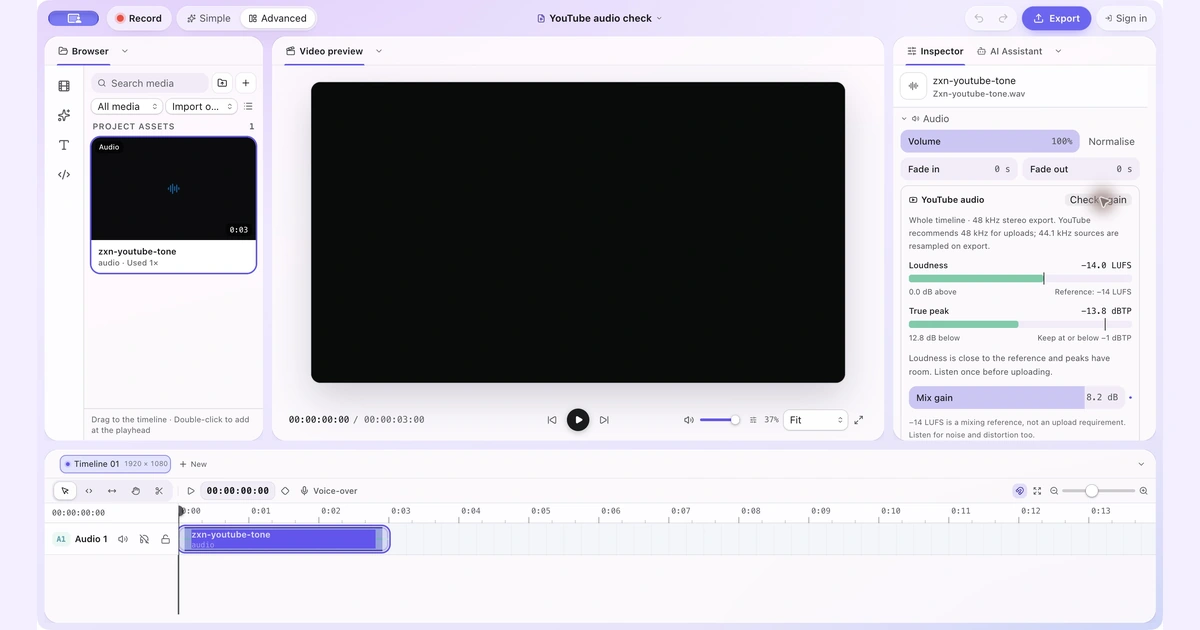 YouTube Audio Settings on Mac: Check LUFS, True Peak and VolumeCheck your full video mix, understand the -14 LUFS reference and raise quiet audio only when the peaks have room.